December 2025
How to make a travel recap map
A simple guide to make a travel recap map with PamPam
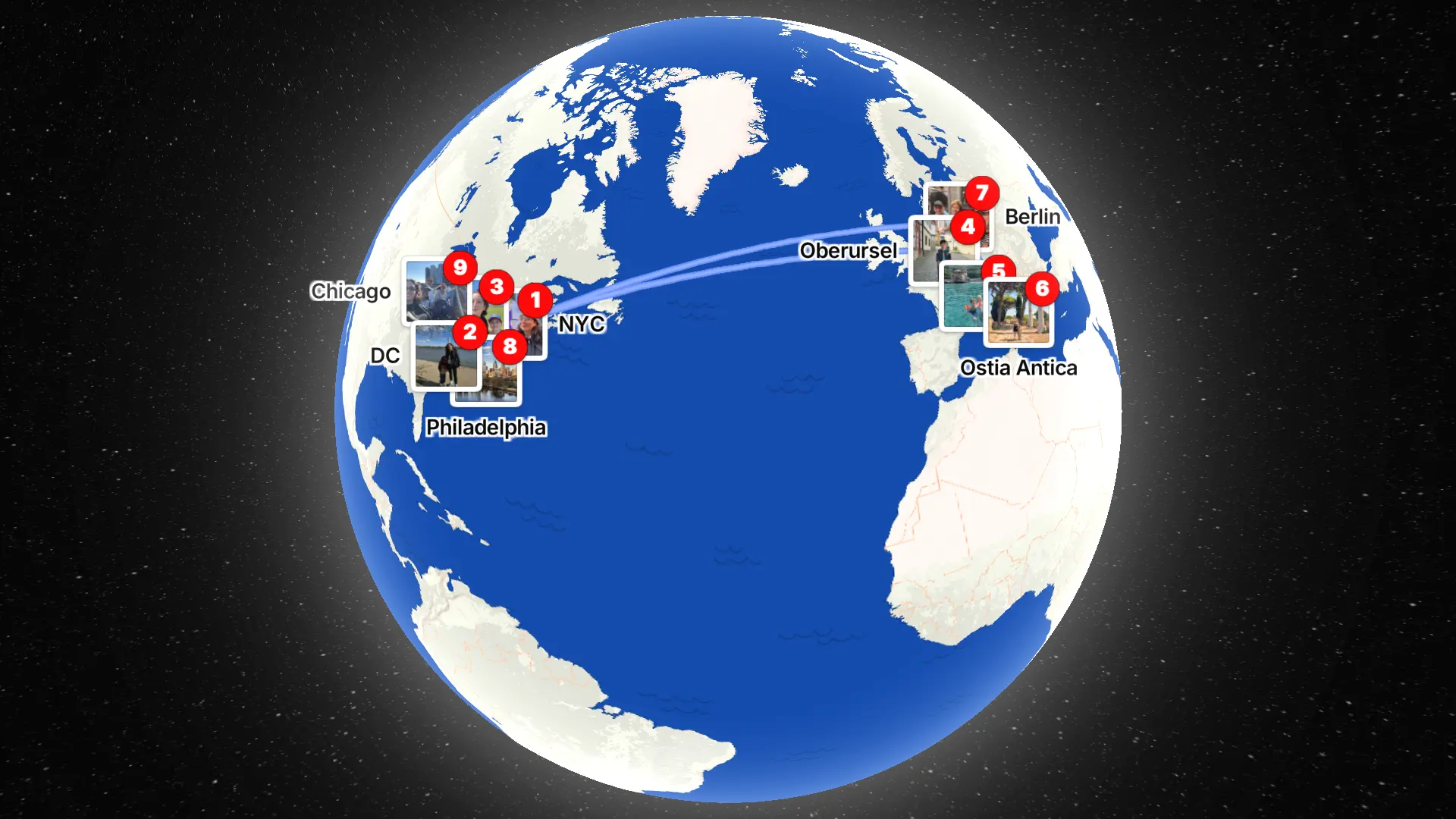
A travel recap is a way of looking back at where you’ve been — not just listing destinations, but seeing how places connect. After a road trip, a long vacation, or even a year of small local adventures, a map can tell that story more clearly than photos alone.
That’s where a travel recap map comes in. Instead of scrolling through albums or notes, you see your journey unfold visually, place by place.
PamPam is an AI map maker that helps you make your own custom maps. You can make interactive maps, travel maps, and simple map animations in seconds, all designed to look beautiful and easy to share. It works especially well for creating travel recap maps that turn your memories into something you can replay and post.
Here’s how to make a travel recap map, step by step.
Start by adding your places, one by one
A travel recap map begins with the places that mattered to you. That might be big destinations — cities or countries — or smaller, more personal stops like restaurants, cafés, parks, or scenic overlooks.
In PamPam, you add each spot individually. You can search for a city, a neighborhood, or a specific restaurant and drop it onto the map. Each pin represents a moment: where you stayed, where you ate, where you wandered.
This works for many kinds of recaps:
- A road trip across multiple cities
- An international trip across countries
- A weekend itinerary
- A “best restaurants I visited this year” map
The idea is simple: if it mattered to you, it belongs on the map.
Shape the story of your trip
Once your places are added, you can organize them in a way that reflects the trip itself. Some people group spots by day or city. Others keep it loose and let the sequence speak for itself.
Because PamPam focuses on adding and arranging pins — not data visualization — it stays easy to adjust. You can reorder stops, remove anything that feels unnecessary, and keep the map clean and readable.
This is where a travel map becomes more than a list. You start to see distance, movement, and patterns that aren’t obvious otherwise.
Turn your travel map into an animation
The highlight of a travel recap is the map animation. After adding your places, PamPam generates a simple animation that shows the pins appearing across the map, one by one.
Watching the journey unfold makes the recap feel alive. It’s especially effective for:
- Road trips
- Multi-city vacations
- “Where I went this year” recaps
- Long-distance travel across regions or countries
The animation becomes a visual summary of your trip — something you can replay, save, or share.
Share your travel recap on social
Travel recap map animations are designed to be shared. Many people post them directly to TikTok, Instagram, Reels, or Stories as a quick way to show where they’ve been.
Because the animation is visual and concise, it works well even without captions. Viewers instantly understand the story: movement, distance, and discovery.
You can also share your travel map as a link if you want friends or family to explore it interactively.
Use it for more than just trips
Travel recap maps aren’t only for vacations. People use them to map:
- Favorite restaurants they discovered
- Cities they’ve lived in
- Places they want to return to
- A year-in-review of local spots
Any collection of places can become a recap. The format stays the same — pins on a map, animated into a story.
Make your own travel recap map
If you’re looking for a simple way to look back on your travels, a map gives everything context. Instead of telling the story in words, you let geography do the work.
PamPam makes it easy to build a travel recap map, turn it into an animation, and share it wherever you like. Add your places, watch them come together, and keep the memory in a form you’ll want to revisit.
We’d love to see what your travel map looks like. Every recap tells a different story.
Make your own 2025 Travel Recap: https://www.pampam.city/travel-recap
Make your own travel map: https://www.pampam.city/travel-map