November 2025
How to make a store locator map
A simple guide to make a store locator map with PamPam and add it to any website
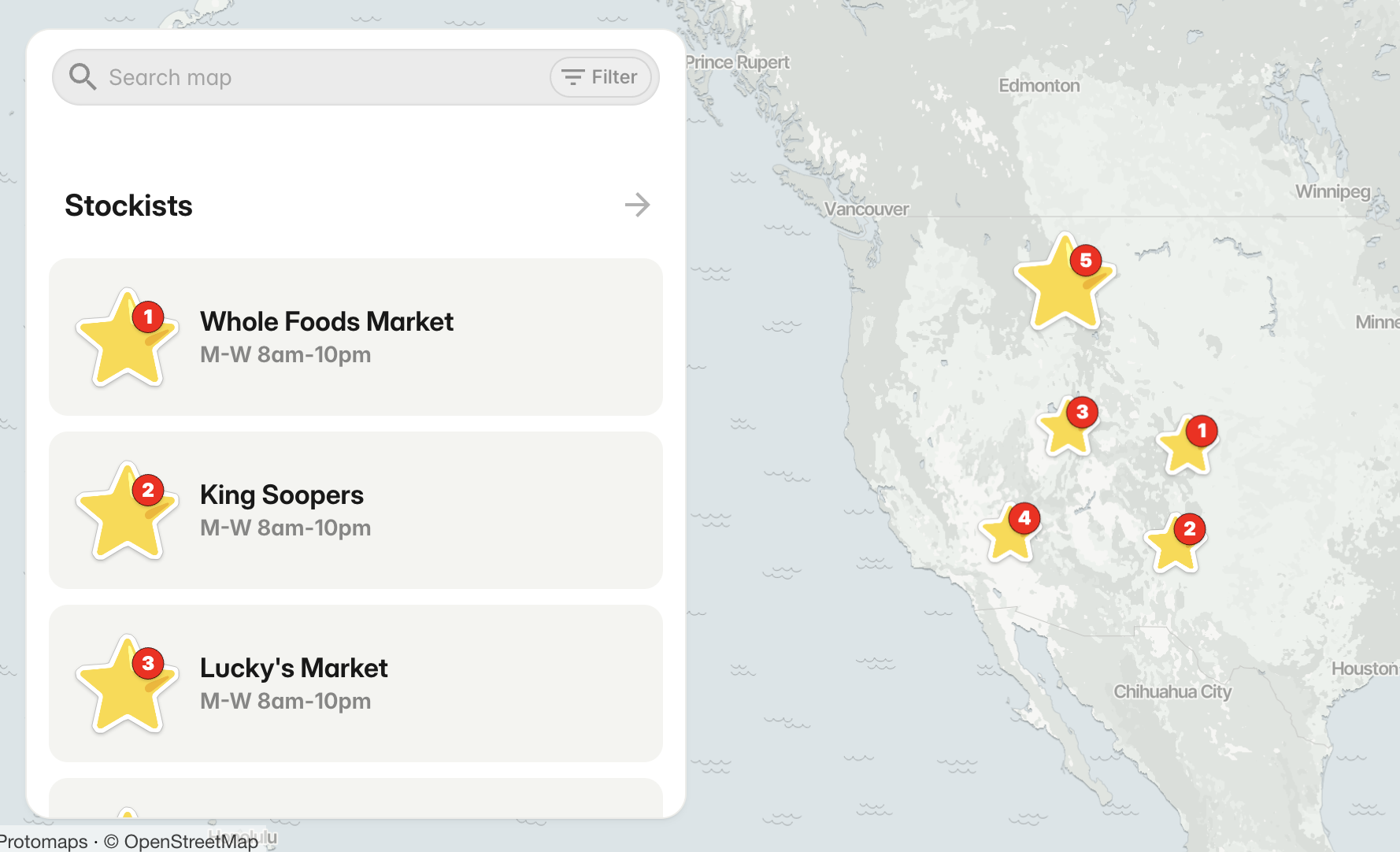
Most businesses reach a point where they need a simple way for customers to find their locations. It might start with a list on a website or a single pinned Google Map, but eventually a directory becomes hard to maintain and even harder for visitors to browse. That’s usually when people start looking for a custom store locator — something clean, searchable, and easy to update.
The good news is that making a store locator doesn’t need to be technical. You don’t need a developer or a special plugin. With the right tool, you can create something polished in minutes.
PamPam is an AI map maker that helps you make your own custom maps. You can make interactive maps, travel maps, and simple map animations in seconds, all designed to look beautiful and easy to share. It’s also one of the simplest ways to create a modern, branded store locator. You can explore an example at Store Locator or browse more map types at Custom Maps.
Here’s how to make a custom store locator from scratch.
Start with your locations
Before anything else, gather the stores or stockists you want to include. These lists often live in different places — a spreadsheet, Airtable, Google Sheets, or sometimes in someone’s inbox.
PamPam lets you start wherever you are. You can upload a CSV, import from Google Sheets or Airtable, or add places manually. If you don’t have a full list yet, you can search for stores directly in the editor and add them as you go. The idea is to make getting your locations onto the map as quick as possible.
Add the important details
A useful store locator includes more than the store name. Customers often want hours, contact information, product availability, or notes about parking or accessibility. PamPam supports custom fields, so you can add the exact details people look for.
You can include:
- Links to shop online
- A call button
- Tags for product availability
- Useful notes for visitors
The goal is simple: help someone decide which location fits their needs.
Customize the map to match your brand
Your store locator is part of your website, so it should blend naturally with your design. Many tools fall short here, offering only a handful of colors or rigid widgets that don’t look like the rest of your brand.
PamPam gives you room to design. Choose your map colors, update your pin icons, and adjust the feel of the map so it feels fully yours. The editing tools are intentionally straightforward, making it easy to create a polished design without wrestling with settings.
In practice, your locator feels like part of your site — not something bolted on.
Add search and filters
The more stores you have, the more important it becomes for people to quickly find the right one. PamPam includes search and optional filters so customers can narrow down by region, store type, services, or tags.
This keeps large locators usable and clear, especially for franchises, multi-region brands, or businesses with varied offerings.
Embed your locator anywhere
A store locator only works if people can access it easily. PamPam maps embed cleanly on Shopify, Squarespace, Webflow, and most custom-built websites. The embed automatically adapts to different screen sizes, so the map looks good on mobile without extra work.
If you don’t need an embed, you can also share your locator as a link. This works well for email onboarding flows, newsletters, or social posts announcing new retail locations.
Because the map updates instantly, any changes you make are reflected everywhere the map lives.
Keep your locator up to date
Store information shifts constantly. New locations open, hours change seasonally, and offerings vary. With PamPam, updates feel light — open your map, edit what you need, and your store locator refreshes immediately. Since maps can be collaborative, your team can help manage updates too.
No more waiting on a developer or worrying about outdated information sitting on your site.
Make your store locator today
If you’re creating a store locator for the first time, start with clarity: a simple map that helps customers find what they’re looking for quickly. PamPam’s approach — simple imports, clean customization, search, filters, responsive embeds, and instant updates — makes the process easy for anyone.
You can start building your store locator here:
Make a store locator
Or explore other custom map types here:
Make custom maps
We’d love to see what you make. Let us know where you get stuck — we’re building this to make map-making feel simple and enjoyable.