October 2026
How to make a Halloween map
A step-by-step guide to mapping trick-or-treat houses with your neighbors
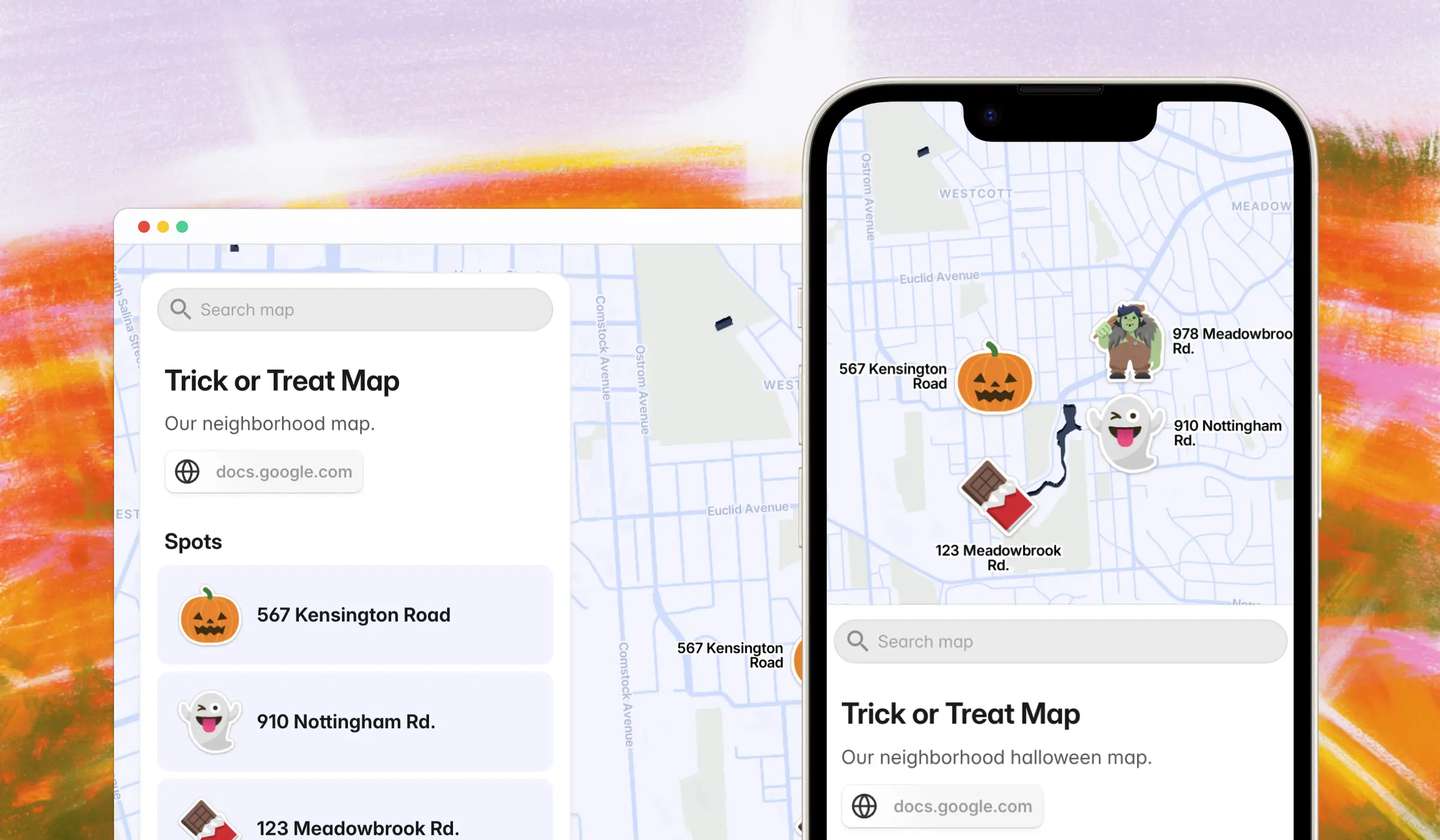
Every neighborhood has a version of the same problem this time of year: nobody actually knows which houses are handing out candy, which ones go all out on decorations, and which streets are worth the walk. It usually gets solved through word of mouth, a Nextdoor thread that's impossible to search later, or just guessing.
A map solves it properly. This is a step-by-step guide to building a Halloween neighborhood map with PamPam — an interactive map maker built for exactly this kind of community project — so your street, block, or whole neighborhood has one place to check before heading out.
What to put on a Halloween map
Start simple. Most Halloween maps end up with three kinds of pins:
- Houses that are confirmed to be handing out candy
- Houses that are especially decorated, whether or not they're participating
- Stops worth adding to a walking route — a cul-de-sac with a haunted setup, a street that closes to cars, a house doing something different every year
You don't need all three categories to make the map useful. Even a map that just marks "candy here" saves families from ringing doorbells at dark houses.
Let your neighbors add their own spots
The easiest way to build this out isn't doing it all yourself — it's giving neighbors a way to add their own house or favorite spot directly. PamPam's Can Add access does exactly that: you share the map link, and anyone with it can add a new pin without being able to edit or remove anyone else's.
This is the fastest way to go from "map with five houses on it" to "map with the whole block on it," without you personally tracking down every household.
Or collect everything in a spreadsheet first
If you'd rather review submissions before they go live — useful if you're running this for a larger neighborhood or a community group — Google Sheets sync is the other option. Neighbors fill out a shared spreadsheet (a simple form works well for this), and you sync it to the map whenever you're ready. Nothing appears until you decide it should.
Both approaches solve the same problem — getting more houses on the map without adding each one by hand — they just trade off speed for control. Can Add access is faster and more hands-off. Sheets sync gives you a review step before anything goes public.
Plan the actual walking route
Once the map has enough pins on it, it stops being just a reference and starts being a route. Families can see which houses cluster together, which street to start on, and how far the walk actually is before committing to it with kids in tow — something a text thread of house numbers never quite manages to convey.
Who this is for
This works at any scale: one family mapping a familiar street, a block organizing trick-or-treating together, or a neighborhood association trying to make the night easier for everyone. It's also a nice one-off project if you run a local newsletter or community page and want something people actually bookmark every October.
You can start from a ready-made layout instead of a blank map:
🎃 Try the Halloween map template
You can build a map for free, with limits on things like total spots and views — plenty for most streets, but worth knowing if you're mapping a bigger area.